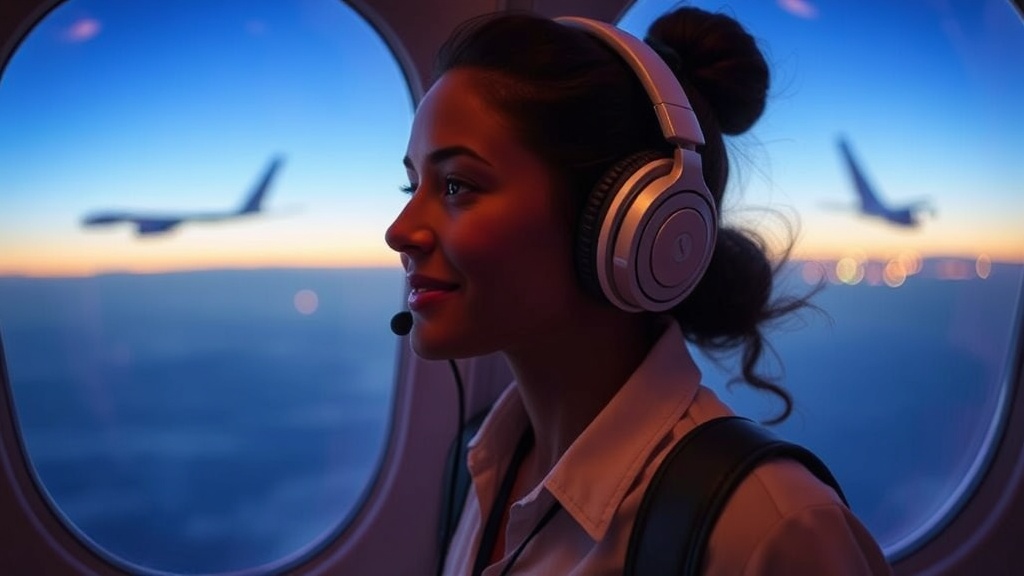
Creating a Shared Music Playlist for the Longest Flights

Three friends sit in row 14 of a long-haul flight to Tokyo. One is trying to sleep, one is watching a documentary, and the third is staring at a blank screen, feeling the restlessness of a twelve-hour flight setting in. They have no shared vibe, no common thread to bridge the gap between the chaos of the airport and the arrival at the hotel. A shared music playlist solves this by creating a digital "soundtrack" for the group, turning a silent, awkward cabin experience into a cohesive mood. This guide covers the logistics of building, managing, and sharing a group playlist so your group stays in sync from takeoff to touchdown.
How Do You Build a Shared Playlist for a Group?
To build a shared playlist, you need to create a single "Collaborative Playlist" on a streaming platform like Spotify or Apple Music and invite your group members via a direct link.
Don't just start adding songs randomly. If you're the group lead (and let's be honest, someone has to be the project manager here), you need a system. A disorganized playlist is a recipe for a headache. You want a mix of high-energy tracks for the excitement of departure and low-fidelity, ambient sounds for the mid-flight slump.
Here is the workflow I recommend for any group trip:
- Pick the Platform: Everyone in the group must use the same service. If half the group is on Apple Music and the other half is on Spotify, the collaboration fails.
- Set the "Vibe" Parameters: Decide on a theme. Is this a "90s Nostalgia" flight or a "Lo-Fi Chill Beats" flight?
- Create the Master Link: One person creates the playlist and toggates the "Collaborative" setting to "On."
- Distribute the Invite: Send the link through your group chat (WhatsApp or iMessage works best) so everyone can add their tracks.
It’s a simple process, but the logistics matter. If you don't set these rules early, you'll end up with a jarring transition from a peaceful acoustic set to a heavy metal track that wakes up the entire cabin.
What Are the Best Apps for Group Music Collaboration?
The best apps for group music collaboration are Spotify, Apple Music, and YouTube Music, as they all offer robust features for real-time collaborative editing.
Each platform has its own quirks. Spotify is the gold standard for this because the "Collaborative Playlist" feature is incredibly intuitive—you just hit "Invite collaborators" and the work is done. Apple Music is also strong, especially for those deeply embedded in the iOS ecosystem, but it can sometimes feel a bit more rigid when trying to merge different user preferences.
| Feature | Spotify | Apple Music | YouTube Music |
|---|---|---|---|
| Ease of Collaboration | High (Very intuitive) | Medium (Great for iOS users) | Medium (Good for video lovers) |
| Offline Access | Excellent | Excellent | Good |
| Best For... | Social groups/Friends | Families/Apple Ecosystem | Casual listeners |
One thing to keep in mind: make sure everyone has downloaded their music for offline use before you hit the boarding gate. Relying on plane Wi-Fi to stream a high-fidelity playlist is a mistake you only make once.
How Much Time Should You Spend Planning the Playlist?
You should spend no more than 15 to 20 minutes of active curation per person to ensure the playlist remains a fun activity rather than a chore.
The goal isn't to build a professional DJ set. It's to create a shared atmosphere. If you spend three hours debating whether a specific track is "too much," you're over-engineering the trip. I’ve seen group leaders get way too caught up in the minutiae of track order. Don't do that. The beauty of a collaborative playlist is the spontaneity—the joy of seeing a friend add that one song that reminds everyone of your sophomore year road trip.
If you find your group is struggling to agree on a vibe, refer back to your original trip goals. If you're heading to a wellness retreat in Bali, maybe the playlist should be heavy on nature sounds and instrumental tracks. If you're heading to a music festival in Europe, lean into the genre of the headliners. It helps to keep the "vibe" consistent so the transitions aren't jarring.
Speaking of consistency, a well-organized trip often relies on these small, shared details. If you're already thinking about the group's rhythm, you might want to check out how to find the perfect vibe for every group member's daily pace. It helps to align your digital and physical experiences.
How Do You Prevent "Song Fatigue" During Long Flights?
To prevent song fatigue, ensure the playlist includes a diverse range of tempos, volumes, and genres so the listener doesn't get stuck in a repetitive loop.
A long flight is a marathon, not a sprint. If your playlist is 10 hours of high-tempo EDM, you are going to be exhausted by the time you land. I suggest a "Three-Act Structure" for your flight music:
- Act I: The Departure (High Energy). Upbeat, celebratory tracks for the first two hours. This is the "we're actually doing this!" phase.
- Act II: The Cruise (Mid-Tempo/Atmospheric). This is the bulk of the flight. Think indie folk, soft jazz, or lo-fi beats. It provides a consistent background without demanding too much attention.
- Act III: The Descent (Low Intensity). Calming, ambient, or even white noise-adjacent tracks. This prepares the brain for sleep or landing and helps mitigate the stress of potential turbulence.
A quick tip from a former PM: Always check the volume levels of the tracks you add. There is nothing worse than a sudden, high-decibel track breaking your concentration during a nap. If you're using a high-quality pair of noise-canceling headphones—like the Sony WH-1000XM5—you can handle some variance, but a well-curated list is still better for your mental state.
Also, remember that music is a social tool. It's a way to bond without having to talk. When you see a friend nod their head to a song you both love, it’s a small, silent connection that makes the long hours in a cramped seat feel much shorter.
Make sure you have your downloads ready. If you're traveling with a group, you might also want to set a budget for group activities to ensure the music isn't the only thing you're sharing—you'll want to make sure the actual experiences are just as well-planned.
Steps
- 1
Choose a Streaming Platform
- 2
Invite the Group to Collaborate
- 3
Set a Theme or Vibe
- 4
Add Tracks and Review Selections